
Back to all case studies

Charlotte, Interested in transcription work

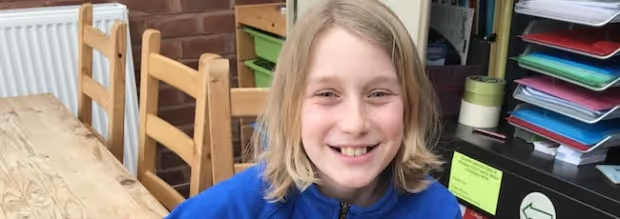
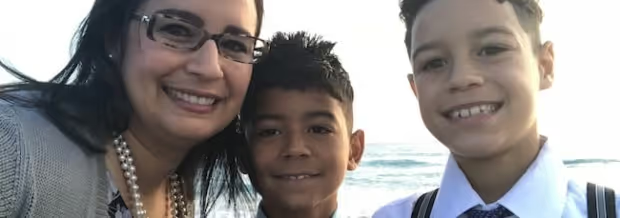
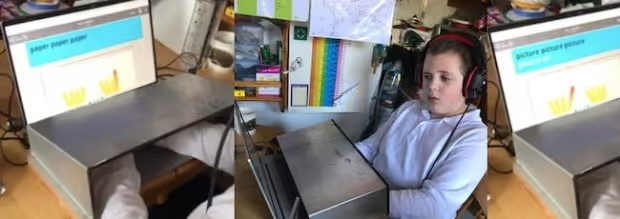
Charlotte is an adult learner interested in transcription

Because I’m a single parent, I really like the flexibility of working from home. Right now, I do mainly home crafting - I make miniatures for dollhouses - but it doesn’t bring in enough income. I’d like to pursue transcription work in the future, so I know I need strong typing skills for that.

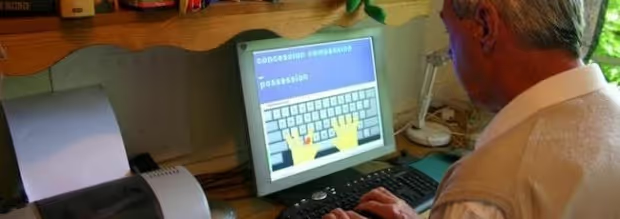
Touch-type Read and Spell has been useful for me because it’s helping me with my touch-typing and my dyslexia. In the beginning, I was really slow at typing, but after a few weeks of TTRS, I went up from 25 to 45-50 words per minute.

I think that’s because of the way the course works. It’s not just encouraging speed, it concentrates on the sounds in the words first. For example, it will introduce all words with the ‘i’ sound and you do them a few times before moving on to something new. You start with short words and move on to longer words. I can hear the words and see them as I type, which helps.

I found out I was dyslexic when I was at university. I had struggled at college, but the staff had helped me there as they had a good network to support students who fell behind. However, at university they didn’t have that, so they ended up testing me for dyslexia. They said I was struggling because I had the reading ability of a 12 year-old. That was why I was not able to keep up.

I have some issues with spelling but it’s mainly my short-term memory and reading skills which are problematic. I start reading, and by the time I get to the end of a sentence I’ve forgotten what I’ve read so I have to keep re-reading.

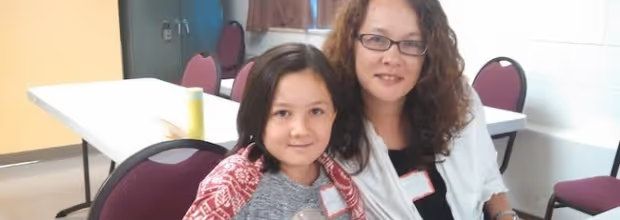
Me and my daughter both have Irlen Syndrome and we need different colours to help us read. I like that in TTRS we have the flexibility to adjust these settings. For example, I’ve changed my background colour to yellow because that’s my colour to read with and my daughter has chosen pink because that’s her colour.

Before TTRS, I was always thinking what to spell, now I’m just doing it without over-thinking it. Words come easier to me. It’s still a bit of a struggle, but I’m getting the hang of it. The dictation modules are really good as well because they help with my listening skills and short-term memory.

I also like that I can use the course when I have time.

I was typing a lot in the beginning but now I’ve settled into a routine where I make sure I do it at least once a week. I can tell TTRS is helping both me and my children – and it's fun to do!

Can an Orton-Gillingham approach help your child?

Take a quiz to find out

Empower your learner – start them typing with greater confidence today

Join thousands of students who are improving their typing, spelling and reading skills with TTRS

More related case studies:

Curriculum Specialist at a California charter school alliance

We use Touch-type Read and Spell as a typing program for 2nd to 8th graders in the three charter schools that we work with. We also have high school students who request to use the program. Typing is a popular curriculum choice, and we like TTRS because it’s not only teaching typing, but also spelling. In our model, teachers typically offer suggestions, but parents make the final decisions about which programs to use. We have a varied student body and we see value in promoting TTRS to all of our learners.

This is some text inside of a div block.

Lisa, Teacher in a small rural school

I was excited when we discovered Touch-type Read and Spell. We are a small, rural pre-K through 12th-grade school located on an island in Alaska. Many of our lessons have to be flexible for multi-age classes that can include first through high school age students. We do not have a tech lab specialist so it's great that TTRS is easy to deliver. I've tried the program myself, as I have never had any typing instruction, and found I even benefitted from the technique!

This is some text inside of a div block.

Bolton College, Adult Education

We offer the TTRS course to self-study adult learners who have returned to education to improve their spelling, increase their familiarity with technology, and use word processors. We find that many of our adult learners did not engage with spelling when they first attended school, and that the conventional ‘look-cover- spell-check’ and spelling test approach had a detrimental effect on their learning. In contrast, Touch-type Read and Spell provides a rewarding and positive experience for them.

This is some text inside of a div block.

North East Lancashire Dyslexia Association

We were looking for typing software that would teach keyboarding, but also help students make progress in terms of literacy skills development. Particularly for adults who struggle with literacy skills, it can be difficult to admit there is a problem and even harder to seek help in the form of private tutoring. Therefore, the fact that our mature learners could learn independently with TTRS meant they had access to literacy support without the embarrassment they might feel in a classroom setting.

This is some text inside of a div block.

Samantha, Adult learner who works in family business

When I was at school it wasn’t as popular to talk about dyslexia. Reading I’m okay with but with spelling it’s another story. Over the years I’ve sort of self-taught myself typing, but I really like learning with Touch-type Read and Spell and it’s made a difference for me at work already! That’s because it makes me think about what I’m typing. When I write emails I normally look up and there are about ten red lines with errors. Now it’s about half that, and that’s only from using TTRS for 3-4 weeks.

This is some text inside of a div block.

Denise, Parent of a learner with Down syndrome

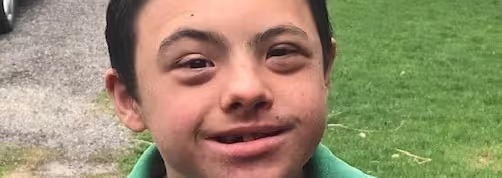
My son Josiah is 12 and he has Down syndrome. He can’t spell very well so we have the TTRS Settings set to Remember & Repeat. In this way he sees, hears and types a word and then the word goes away so he has to type it again. This helps strengthen his memory for the written forms. I'm pleased with TTRS because while Josiah doesn’t have a lot of words per minute, he is actually touch-typing. Eventually, he’ll get faster, but for right now he’s doing great and he feels very proud of himself – and that’s what counts!

This is some text inside of a div block.

Suzanne, Homeschooler of a child with ADD and dyslexia

My son was diagnosed with ADD, auditory processing disorder, dyslexia and dysgraphia in early elementary school. I signed up for a trial of TTRS and discovered he really liked the program and that it was helping him bring things together in terms of his reading, spelling and typing. The course also made a difference for his note-taking skills, mainly thanks to the dictation exercises where you listen to words and type them out at the same time.

This is some text inside of a div block.

Amylee, Parent of a middle-school student struggling with spelling

My middle daughter was having some problems with literacy skills. When I told her that we weren’t going to do spelling anymore, just keyboarding, we were both relieved. She felt less stressed and I knew we wouldn’t be butting heads. The first thing I noticed was a shift from her saying “I have no idea how to spell it,” to being able to give me the first few letters. It wasn’t an overnight change, but gradually, her spelling improved.

This is some text inside of a div block.

Alle, Homeschooler of two children

I homeschool my children who are in fourth and fifth grade. We got Touch-type Read and Spell primarily for typing, but with the phonics support it’s benefited their spelling skills as well. They love telling me they got a 99% today and showing me the graph that has their scores on the different modules. I’ve noticed they’re more confident and that there’s been an improvement in their ability to sound out words too. Now, when they have long writing assignments, they always opt for typing their final papers.

This is some text inside of a div block.

Sheryl, Parent of an 11-year-old with dyslexia

My son does his TTRS typing lessons most weekdays. He’ll do five small modules a day. I ask him to complete three from the main course and then choose two from the subject-specific lessons in grammar, phonics, science, or maths. Since starting the program, his confidence in typing has really increased. Almost all of the homework that my son does in year 7 is online or at the computer and he can now find his way around the keyboard much faster. He is set to become the fastest typist in the family!

This is some text inside of a div block.

Maureen, Homeschooler of three children

This is my third year doing homeschooling and typing is one of the electives my kids take. We found Touch-type Read and Spell, and they’ve really taken to it. They’re at certain levels and can track their progress – which is a big part of it. It’s also not a huge time commitment for their day, so TTRS is something they can check off their list and feel good about. I like the TTRS program because I have two very different learners and it works well for both of them.

This is some text inside of a div block.

Beverly, Parent of a child with dyslexia, dyspraxia, and dysgraphia

My daughter does TTRS most days. She’ll go and do it by herself and the good thing is that even just ten minutes a day really helps. Before, it was hard for her to write and when confronted with a keyboard, her eyes would be all over the place. But now she knows what to do and the typing and reading improvements are helping her progress in other areas of the school curriculum. This is a tool that gives kids with learning difficulties the confidence and support they need!

This is some text inside of a div block.

Linda, Parent of a 13-year-old with dyslexia

As a homeschool mom, you’re always looking for options, especially when you have a child who has a learning difficulty. I found Touch-type Read and Spell because I was searching for a program that would help my daughter learn to type and improve her spelling at the same time. TTRS has made a big difference in her literacy and typing skills, but what my daughter and I like best about the program is it doesn’t make her feel stupid.

This is some text inside of a div block.

Amy, Parent of a child with dyslexia

We used the Touch-type Read and Spell course to teach my ten-year-old son typing, in order to help him with his writing. Since he learned typing, he’s more able to express himself in writing. He’s also more confident because he knows he can keep up in the classroom and do homework and other school assignments on the computer. His typing skills have improved significantly - he’s even trying coding lessons this year!

This is some text inside of a div block.

Sydney, Parent of a twice-exceptional child

I purchased the Touch-type Read and Spell program for my daughter who was having difficulty with the typing course she was using at school. She’s in a gifted program but also struggles with dyslexia and slow processing. I knew my daughter was an auditory learner and that the voice prompts in TTRS would help. TTRS makes it much easier for her to type the right letters.

This is some text inside of a div block.

Ed, Computer Science Teacher at a small private school

I use Touch-type Read and Spell in kindergarten through eighth grade alongside two other programs that teach coding and computer aided design (CAD). I like to rotate through the different applications to keep things fresh and interesting for the students. The homeroom teachers have provided very positive feedback about having students use TTRS to practice their spelling words. We really like the ability to add our own lists to the program. The students then practice typing the words and take an assessment.

This is some text inside of a div block.

Linda, Deputy Principal in an all-girls school

I’ve found Touch-type Read and Spell is a great way of teaching typing skills while also addressing literacy difficulties. I am a Special Needs teacher in a primary school working with children who are 7-11 years old. The children enjoy monitoring and observing their own progress as they develop their typing skills. They love being awarded TTRS certificates for their progress and attainment!

This is some text inside of a div block.

Sally, Teacher in a special needs program

I run a special group on Wednesdays for children from local schools. While most of the students have learning differences, we have English as an Additional Language (EAL) learners and children with motor-skills difficulties too. Those who struggle with literacy skills benefit the most from TTRS. It gives them confidence and is a learning activity they look forward to. The children are always saying ‘When are we going to do our touch-typing?’

This is some text inside of a div block.

Helen, Inclusion Manager at a junior school

In our large junior school, we offer Touch-type Read and Spell as an invite-only club. Children are invited to participate if they are assessed with dyslexia or dyspraxia, or if their teacher recommends they are included. I have seen a great boost in self-esteem amongst our more reluctant writers, especially once they have built up enough speed and keyboard familiarity to start using a laptop in class for longer writing tasks.

This is some text inside of a div block.

Wendy, Teacher for students with disabilities

I’m a resource teacher for learners with physical and intellectual disabilities. Those students who are struggling the most with literacy, I put on the TTRS course. It helps them learn the letters of the alphabet and then moves them on to building letters into words, and words into sentences. TTRS has become a part of our education program and is included in the targets I set during regular meetings to update and monitor Individual Action Plans.

This is some text inside of a div block.

Roisin, Secondary School Teacher

We have been using Touch-type Read and Spell (TTRS) for nearly three years with all of our transition year students who are 15-16 years old. It has been wonderful to see the improvement in reading and spelling, typing skills, confidence, and motivation in students who are using TTRS. It is also great preparation for those who will complete their Junior and Leaving Certificate examinations through special centres using technology.

This is some text inside of a div block.

Chris, Special Needs Teacher

I’ve found Touch-type Read and Spell is a great way of teaching typing skills while also addressing literacy difficulties. I am a Special Needs teacher in a primary school working with children who are 7-11 years old. The children enjoy monitoring and observing their own progress as they develop their typing skills. They love being awarded TTRS certificates for their progress and attainment!

This is some text inside of a div block.

Alan, Adult with severe dyslexia learning to read

Alan struggles with dyslexia. He spent much of his life avoiding reading and writing. Before beginning TTRS, he struggled to understand even simple text like instructions and signs in shops. When Alan joined a literacy and numeracy class at a local college, as part of his learning program, he embarked on a touch-typing course. With plenty of encouragement and perseverance, he began regular practice with the TTRS program. He learned to type and is now able to read and write most high frequency English words.

This is some text inside of a div block.

Success Stockport, Adult Education

We had run the Touch-type Read and Spell course before within a local authority and found it really inspired confidence in adult learners. That's why we ran it again in our most recent course for 9 unemployed adult learners, some of whom had learning difficulties. Our students enjoyed using TTRS and acquired the skill of touch-typing at the same time. One student said TTRS taught her not to be afraid of computers. Another said learning typing with TTRS made him more confident and that he was now ready to tackle future computer courses.

This is some text inside of a div block.

Elizabeth, Adult learner with dyslexia

I was 15 when I was diagnosed with dyslexia. Because of my early experiences with reading and spelling difficulties, I chose a career in education and I am now a primary school teacher. I think Touch-type Read and Spell is just brilliant because it teaches you to type using real words. It’s all about sensory skills. It teaches typing, reading, and spelling and it’s designed for people who have dyslexia. When you have dyslexia, it’s difficult to learn how to type if the drills aren’t linked with spelling patterns and you don’t get the same benefit out of it, like you do with TTRS.

This is some text inside of a div block.

Brian, Retiree and youth mentor with dyslexia

I was never officially diagnosed as dyslexic, but I’ve read a lot about it and I’m pretty sure I have phonological dyslexia. When I was 9 or 10 I can remember looking at the word off, thinking that's alright. Then looking at the word of, and thinking that should be 'ov' -- this doesn't make sense. At work, when I became a manager, my boss would say things to me like “you take the minutes for the meeting,” and I’d sit there thinking how can I write the rough copy big enough, so that I can read it later, but too small for anyone to see my mistakes as I write?

This is some text inside of a div block.

Brian, Retired engineer using TTRS

I worked my whole life as an engineer but I've struggled with severe dyslexia. When I used to do e-mails it was a nightmare, but now, what would take me half an hour I can do in five minutes. It's been two years since I started using the Touch-type Read and Spell course and my reading has improved significantly. In the beginning, one or two modules might have taken me half an hour and I’d try and do that every day. These days I’m much faster and I can do up to ten modules in one sitting. TTRS has given me confidence.

This is some text inside of a div block.

Martin, Adult learner with severe dyslexia

I’m fifty years-old and I’m a hairstylist but I can say that I’ve endured a lifetime of struggles because of my dyslexia. It’s so severe that if it weren’t for my computer, I would still be completely illiterate. I was actually looking for different tools to use on my iPad when I discovered Touch-type Read and Spell. I can already say that TTRS is fantastic. I enjoy it and I do it every day. I wish they had had a multi-sensory program like this when I was at school.

This is some text inside of a div block.

Alexis, Adult learner with mild dyslexia

I work at a children’s book publisher and I do most of my writing on the computer. Listening to the words in TTRS really helps me. I can hear and see the word, so it’s easier for me to pinpoint whatever little thing I’m doing in my mind that’s not working. For example, I tend to struggle with vowel sounds and I’m always one letter off. TTRS is great because it helps me see these issues - it makes it really clear when I miss a letter. Plus, I like it and I actually look forward to doing it!

This is some text inside of a div block.

Gemma, Parent of a child with dyspraxia

My son started using the Touch-type Read and Spell course with a tutor about two years ago. When he finished this April, we had a little celebration for him out in the garden. He felt such a sense of achievement from having completed TTRS and I couldn’t be prouder of him! Shane now brings his laptop to school and uses it when there are writing assignments. In addition to his typing skills, we’ve seen an impact on his spelling as well.

This is some text inside of a div block.

Lisa, Parent of a 7th grader with dyslexia, dysgraphia, and apraxia

A deciding factor for me was the multi-sensory teaching aspect of TTRS. These kinds of methods are exactly what students with dyslexia and dysgraphia need. TTRS checks so many boxes: word lists, academic vocabulary by subjects, sight words, word endings, homophones. We also love being able to customize the visual display of the program. My son does about three modules each day -- they are quick and painless. And the best part is he is learning!

This is some text inside of a div block.

Heather, Parent of an 11-year-old with autism

I have an 11-year-old autistic son who has high anxiety and I was looking for a program that would be functional, but also have a strong academic skill base. TTRS provides the auditory input my son really needs. We use it to help with reading, as well as typing and spelling. In learning to read, seeing the words, hearing the sounds and using his hands at the same time has been a complete game changer for my son.

This is some text inside of a div block.

Emma, Parent of a child with special needs

We started using the Touch-type Read and Spell program because my daughter has quite a high number of special needs. This program is teaching her to see the letter patterns in real words. We sit down and there’s repetition in a module. My daughter types similarly shaped words with similar endings. The way her brain works, she looks at a word and can read it, but she can’t copy the spelling of it. This program is teaching her to see the letter patterns.

This is some text inside of a div block.

Vivian, Homeschooler of a child with dyslexia

I have a ten year-old son who has dyslexia. My daughter is in eighth grade and she also uses Touch-type Read and Spell. She is not dyslexic but the program helps with her keyboarding practice and spelling. We homeschool and work on a small budget - almost everything we use is free - but TTRS is a program we happily pay for. My children look forward to their typing lessons.

This is some text inside of a div block.

Director of Curriculum at an independent-study charter school

Our independent-study online charter school supports students in grades TK-12. It’s important to us that we provide access to diverse educational models – and one of the enrichment options we have is Touch-type Read and Spell (TTRS). If a student is struggling with letters or sounds, their teacher will ask them to take TTRS for extra literacy support. With the way everything is moving technologically, typing is an important skill to have, as many of our students use typing for other coursework.

This is some text inside of a div block.

Annette, Adult learner returning to school

I’ve always known I had dyslexia but for most of my life I tried to ignore it. When I was younger my school didn’t diagnose me, and it was only this year when I took an adult education course that I was given a proper assessment. I was researching tools for adult dyslexia online when I first came across Touch-type Read and Spell. As I’ll be starting university in September, I’m using the course to help me get ready for school. What I like about TTRS is that it’s easy and straightforward to use. The first time I signed in to the program I was able to get started right away.

This is some text inside of a div block.

Maria, Doctor and English language learner

I began using the TTRS course after my English literacy level was tested and seemed low. I'm originally from South America and I work as a doctor in the UK. I also have dyslexia. I spent a year doing about 30 minutes of typing each day. When I was tested after using TTRS, my scores revealed that my word reading skills had improved by 22 standard score points! I feel like this is quite an achievement! Before TTRS, I used to type slowly and inaccurately with two-fingers. Now I am faster at the computer, make fewer errors, and write more professionally.

This is some text inside of a div block.

Anna, Adult learner with mild dyslexia

I have mild dyslexia. Unfortunately, there was no help for me when I was younger, so I’ve always just struggled along. I run a guest house and when I write on the computer, it’s easier to cover up errors. In the first few weeks of Touch-type Read and Spell, I didn’t think I was getting much better. Then, when I was typing a letter out, I felt wow, I seem to be typing differently. Typing felt more automatic and I wasn’t overthinking the words and how to spell them, I was just doing it. I was typing faster and my fingers knew where they were going.

This is some text inside of a div block.

Jen, Adult learner and homeschooling mom

I’ve never been officially diagnosed with dyslexia, but I’ve struggled with reading and spelling all of my life. One of the things I like most about the Touch-type Read and Spell Course are the subjects. They have technical terms and definitions from science and math that you can practice typing. There’s a section I let my son try and it was really interesting to watch him. He had such a high level of success with the program that I created an account for him -- it's something we can both use!

This is some text inside of a div block.

Caroline, Adult student working in healthcare

At 27 I’m going back to school for an occupational therapy degree. I’d been working as a care-giver in the healthcare sector and realized this is what I wanted to do. I was assessed for dyslexia when I was 8 and then again at 17. When I first started using the Touch-type Read and Spell program I was terrible. But I’ve noticed an improvement already when I’m typing. I know where the letters are. I’m typing with more confidence and I’m motivated to keep taking modules as I want to get things perfect.

This is some text inside of a div block.

Jennifer, Parent of a child with dysgraphia

My youngest son who is 11 right now has dysgraphia. He’s a very smart child who can write when he’s dictating as his thoughts are free-flowing, but the physical act of writing really frustrates him and gets in the way of his self-expression. I read about how typing might help with the dysgraphia and he started using Touch-type Read and Spell about three or four years ago. Since then, he’s just done wonderfully and that’s why we keep signing up.

This is some text inside of a div block.

Claire, Parent of a child with dyslexia and dyspraxia

We started using Touch-type Read and Spell when my son was in Year 6 at Primary School. He is dyslexic and dyspraxic and having to write by hand made it hard for him to get his thoughts down on paper. My son used to hate English at Primary School, but he actually enjoys it these days. It’s a combination of factors but definitely being able to type has freed him up so he can express himself more fluently in writing.

This is some text inside of a div block.

Enid, Parent of a learner with Down syndrome

We had looked into typing before but had been at a bit of a loss as to where to go for a course that would be easy and clear enough for Fintan to do. With TTRS it was different. We met with Carol, a local TTRS tutor, who recommended starting the program at home. We began in February and we’re up to Level 7 now. There’s a big cheer that comes with the score on-screen and he gets so excited!

This is some text inside of a div block.

Becky, Homeschooler of four children

We found out about Touch-type Read and Spell through our homeschool co-op. My oldest son was 8 or 9 at the time, but I have four children and as they grew up each one was able to go through the course. A lot of the learning for homeschool these days is online and so my kids needed to know how to type. What I liked most about TTRS is that it caters to different learning styles. We don’t have any specific learning difficulties in the family, but it really supported and bolstered them as they were learning how to read.

This is some text inside of a div block.

Carrie, Parent of a child with dyslexia and dyspraxia

I was looking for something to help a child who learns best with visual support, and this program was recommended to me. Having the hand and finger guide on the screen showing which keys to press, really worked for my son. TTRS was easy for him to navigate and he could go at his own pace. I also liked that he could do one module in ten to fifteen minutes. It made it easy to fit in regular practice sessions.

This is some text inside of a div block.

Jane, Homeschooler of a child with mild dyslexia

I have two children who used the Touch-type Read and Spell course at the ages of 8 and 11. My younger son doesn’t have any learning difficulties and followed the program primarily to learn typing. His older brother used TTRS because it was suggested to me that it would help him overcome the difficulties he was having with writing and spelling due to his mild dyslexia. I was really pleased to find a typing course that could work for both of them, as they are homeschooled and would often practice together.

This is some text inside of a div block.

Yvette, Parent of a gifted child with dysgraphia

My son has dysgraphia which affects his ability to write things out by hand. He also struggles with sensory issues, which means he can easily get distracted. I wanted him to learn typing because I didn’t want to see his creativity and ideas being hindered in any way. In TTRS he’s having to type a word over and over again, and seeing and hearing it as he goes. This means he’s actually learning how to spell the word too, which is making it much easier for him to write in all other areas of his academics.

This is some text inside of a div block.

Anna-Maria, Parent of a child with dyslexia

My older son uses Touch-type Read and Spell. We’ve been using it since he was about 10, although we didn’t know at the time that we started that he was dyslexic. I wanted him to learn typing because he struggled with handwriting and spelling and I knew that the sooner he learned to type, the better. I chose TTRS because of the literacy skills support. We tend to use the program about four times a week and I’ve noticed a big difference in his confidence all around.

This is some text inside of a div block.

Rachel, Parent of a child with neuromuscular difficulties and autism

My son has been using Touch-type Read and Spell for at least five years. In the beginning, he would only be able to do one or two modules a session and his hands would ache. But thanks to regular practice, he’s built up the muscle tone he needed in his hands and has found it’s helped with handwriting using a pen too. Once he sets off on TTRS, he needs no input from me and can work independently.

This is some text inside of a div block.

Kathryn, Parent of two children with dyslexia

Both of my boys were diagnosed with dyslexia when they were around age seven. The elder boy also has ADHD. We started off with a typing program that had more animation and games. But we found it hard to institute a daily regime because with games it’s just a bit too flexible. Especially with my eldest, he needed more structure and organisation. Then we tried Touch-type Read and Spell and it really worked!

This is some text inside of a div block.

Embrace your unique learning style!

Download our eBook now and start your journey to success in the workplace, classroom, and beyond.
Thank you! Your submission has been received!
Oops! Something went wrong while submitting the form.