



Managing your email when you’re a parent can be a challenge, whether you’re dealing with personal emails, a work inbox, school communication or all three. Fortunately, there are a number of ways to make email management more efficient so you spend less time staring into a screen and more time with your kids.
First off, you can limit the points in the day at which you check email. Second, try reducing the time you spend at each sitting by sorting and prioritizing messages. Lastly, make the process of answering emails more efficient and effective by employing a few simple communication strategies and picking up some new skills, like keyboarding. You’ll not only be making your life easier and more enjoyable but you’ll be setting a good example for your children who will be email users themselves one day.
Emails are sent and received seven days a week, around the clock and on every major holiday. This can mean a never-ending queue of messages, which thanks to smartphones and tablets, follow us everywhere we go. While some parents are able to switch off from the stress of their inbox, others feel a heightened sense of anxiety as a result.
But avoiding the email inbox can mean missing time-sensitive messages and other important communication. It may also cause you to carry around feelings of guilt for not getting back to friends or relatives in a timely manner. If you are the kind of person who answers emails at the breakfast table, on the way to school, and before falling asleep, you may be successfully emptying the inbox but you’re likely exhausting yourself in the process.
That’s why part of the challenge in employing management techniques is to take back a measure of control. Parents make deliberate choices every day regarding the examples they set for their children. Demonstrating healthy smartphone and screen-time use should be no exception.
Here are some of our top tips:
Take care who you share your email address with
If you’ve ever used your email address to sign up for a new service or website then you’re probably familiar with the phenomenon of spam and promotional emails. Left unchecked, these can inflate your unread message totals and cause important communication to get lost in the clutter.
Spam filters and promotional tabs will catch some of it but you can do your part to reduce this “noise” by creating a second email address to use exclusively for new accounts and registration forms. In this way you divert unnecessary communication away from your regular email and help ensure the majority of the messages you see are the ones you want to see.
If your inbox is already out of control, set aside a few hours on a weekend to clean it out and unsubscribe to any promotional emails. It could take the better part of an afternoon but it will be worth it in the end.
Restrict your social network notifications
Update emails can be a big contributor to spam. They distract you from your real emails and interrupt your train of thought. Instead, sign into social sites regularly and check your notifications manually.
Most social networks and remote tools like Facebook, Twitter and Slack allow you to customize your communication settings so you aren’t sent an email for every like and follow. If you haven’t already set this up, sign into each platform and adjust your notification preferences.
Check your email at set times
Some people check their inbox over 50 times a day. It sounds extreme but is easy to do, particularly when you are expecting something important to come in.
This kind of interruption can prevent you from focusing your attention on other work projects. It can also stop you from being fully present and in tune to what is going on around you.
Move the email app icon to a second or third screen on your smartphone so the notifications don’t tempt you. If your email opens automatically, change it to manual and don’t leave it open all day. You might start off by checking email first thing in the morning or in the early afternoon instead. However you do it, try not to let your devices get in the way of your new routine.
Make use of your address book
Many email systems will automatically recognize people who email you often, but there is no harm in creating a more robust contact card. Include street addresses (especially important for sending snail mail cards to loved ones) and telephone numbers. This way you have a back-up in case you lose your phone.
While you are at it you might want to set up a signature too. This is the bit that comes at the bottom of the email under your name. You can put your title, any degrees they have, a Skype contact or even a mobile telephone number. This will save you time if you find yourself having to share your number frequently in order to coordinate with other parents.
Set up automatic filters
Not all emails are equal – some may be more important or time-sensitive than others. In a general email account you can have communication related to different areas of your life filtered from the moment it enters your inbox.
This will help you stay organized and is relatively easy to set up. For example, in Gmail use the search function to create a list of rules and conditions by which emails get sorted.
Create a folder or label system
Use folders and labels to help you stay organized and keep your inbox sorted. You might have general folders that relate to different areas of your life, such as children, friends, upcoming events, and after-school activities. You could then have nested folders under them.
You might also decide to skip the folder sorting and just work with searchable labels. It doesn’t matter how you do it as long as it groups your emails into similar categories.
Answer similar emails together
Tackling one of your folders or labels at a time is a great way to ensure you respond to emails in the most efficient manner. Individuals write in a different way when they are communicating with friends and family vs. business contacts.
Switching from one register to another can be mentally taxing and actually slows you down considerably. It is quicker to write four work-related emails all at once and then switch over to a more informal tone.
Sit down at a computer and type
People actually write in different ways depending on the size of the screen they are working on. This is because the amount of text in our field of vision impacts on how we craft sentences and blend them with previous paragraphs.
A bigger screen allows us to revise our writing more effectively. Depending on how you type, you will also be much quicker on a computer.
Of course it may be more convenient to send off short email replies using your smartphone, so take a balanced approach.
Learning touch-typing
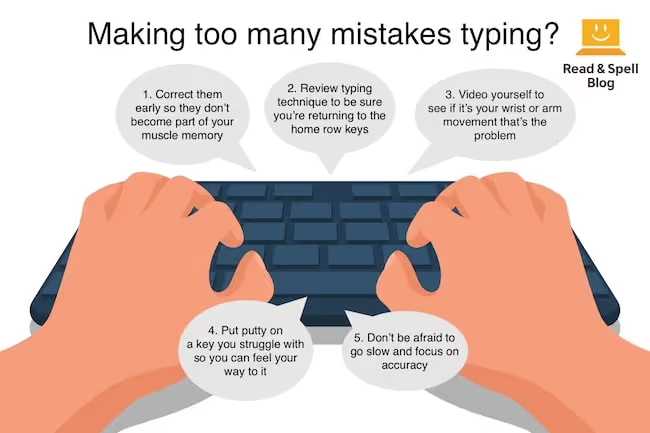
If you do decide to learn touch-typing there are more benefits than just increasing the speed at which you type. Once you’ve mastered the skill you’ll make fewer mistakes than typing with two fingers. You’ll also spend more time focusing on the content of your message, as your eyes won’t need to switch back and forth between the screen and keyboard and you will develop the automaticity that comes with being an accomplished touch-typist.
Emails are often composed of standard greetings and closings so you’ll become especially quick at typing these repeat phrases and will be more able to assemble messages that combine them.
Moreover, if you are a parent who struggles with dyslexia, answering emails is easier if you have taken a multi-sensory touch-typing course like Touch-type Read and Spell, because it is also a literacy solution. The British Dyslexia Association recommends TTRS for people of all ages who struggle with dyslexia. It improves reading and spelling skills as well as self-esteem.
Before you get started
Before you start, get an idea of how you are currently managing your time by keeping an email log for a day or two. Record the time you spend on your emails throughout the day and then estimate the total minutes (or hours) you dedicate to emails on a weekly basis. This should give you a big-picture idea of how you are currently fitting email into your life and help you set a manageable and realistic goal to work towards in reducing it.