


It’s no longer just administrative and clerical workers who require keyboarding skills, most of us use a computer every day. For the majority of job seekers, typing is as fundamental as being able to navigate the web. That’s because almost everyone sends emails and if it takes you several hours to do the record-keeping and communications parts of your job, you may not be as competitive of a candidate as the next person applying for the position.
But does it still matter how fast you can type and with what accuracy? It depends which jobs we’re talking about. In general, speed and accuracy aren’t as important as in the “words per minute” days of the typewriter, but having a knack for typing quickly and without error will serve you well no matter what your chosen career.
Touch-typing vs. hunt-and-peck
The best typing skills come with touch-typing, or the ability to type without looking at the keyboard. Not only does touch-typing increase typing speed, but it helps you stay focused on the task at hand and the content you are producing. This is especially the case when you contrast it with the hunt-and-peck method, where a high degree of disruption is caused by visually searching for keys. Learn more about touch-typing.
The history of typing
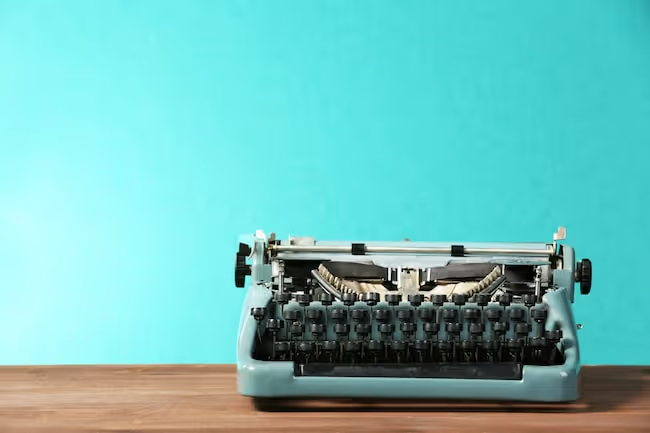
Before there were computers, most printed documents were created using a typewriter. That’s actually where the keyboard layout we use today comes from. In the late 1800s, an American inventor named Christopher Latham Sholes helped to patent an early typewriter design and then sold it to one of the largest manufacturers of the time. There is a bit of controversy regarding the reasoning for Sholes’ placement of the keys along the grid. Originally, the keyboard was laid out alphabetically, but the final patent was changed to resemble the QWERTY configuration English speakers now rely on. Some say it was to avoid the manufacturing glitch of having the keys jam when letters which were side-by-side were typed together. Others claim it had to do with Morse code operators and the need to have letters used for similar sounds placed in the same region of the keyboard, to help typists disambiguate at top speed.
The World's Fastest Typist
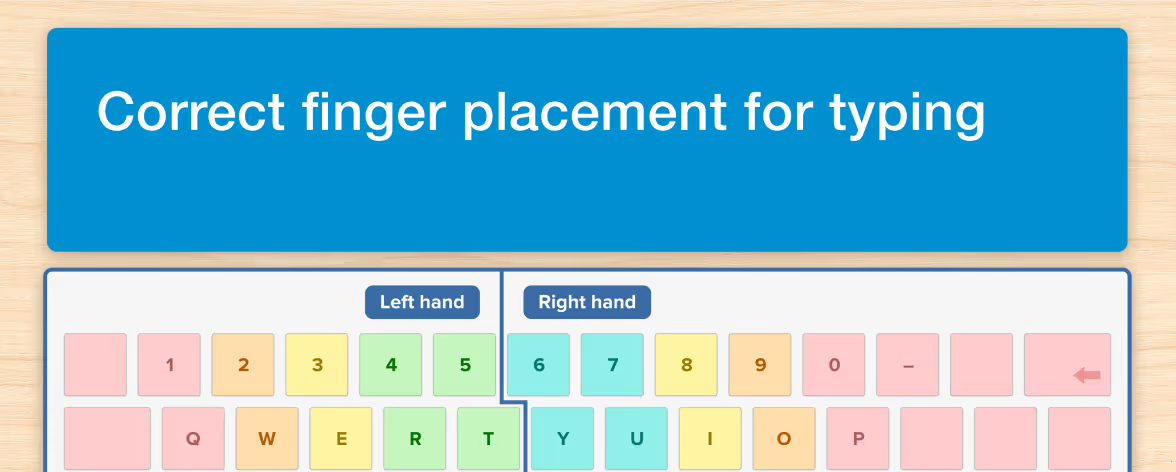
It was Frank Edward McGurrin who proposed the system of touch-typing we know today. Deemed the “world’s fastest typist,” in 1888 he was the first person to type without looking at the keyboard and won a highly publicized typing contest for his speed. McGurrin required typing skills for his day job as a court stenographer but also taught typing classes on the side. You can thank him for the right and left hand-placement on the home row keys and pretty much all of the dictation drills and timed exercises that make up a typing course.
Typing in today’s job market
A long, long time ago, it was men who had the monopoly on jobs involving typing. That's because it was widely believed women wouldn’t be able to withstand the rigors of the physical process of typing. This changed over time of course and being able to type at a speed of 60 words per minute or higher was essential for working women in the 50s, 60s and 70s. As typewriters didn’t have the delete key, accuracy was just as important as speed and typing was considered more of an administrative skill, reserved for secretaries and other job seekers involved in work that required dictation or transcription.
In the 80s, word spread via the feminist movement advising women graduates to learn to type, but not to admit it on their resumes as it would typecast them for secretarial jobs. Things are different today. Technology is now widespread and affordable, meaning we’re introduced to the keyboard much earlier. And as both men and women graduates flood the job market, it’s safe to say most people looking for jobs will have a basic level of computer skills.
Jobs requiring typing skills
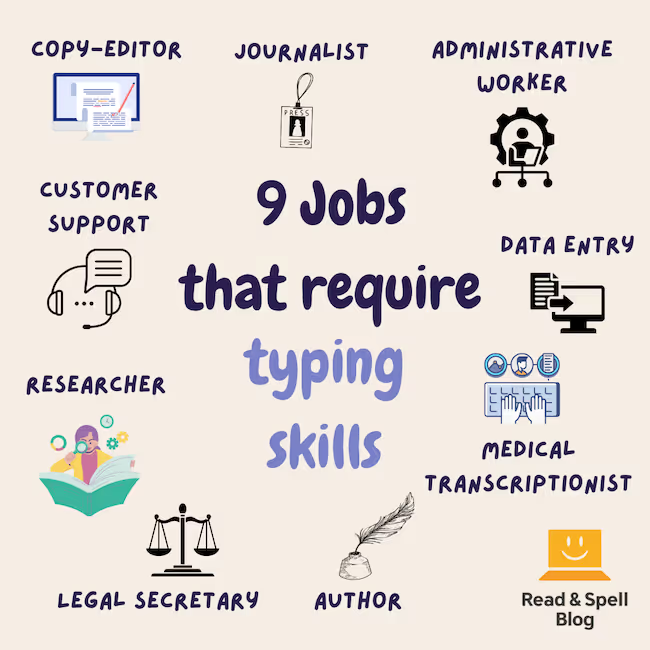
The majority of jobs require computer skills, but are there any careers in which touch-typing is particularly advantageous? Yes many – the person who can touch-type has a great advantage in the following professions:
- Administrative Work. Whereas dictation and typing up hand-written notes used to be the norm for personal assistants and secretaries, today’s job requirements are more in line with maintaining calendars, answering emails, running social media accounts and organizing events. When it comes to writing professional and timely emails in the face of an overflowing company inbox, fast typing skills are a must or you won’t have time to complete the rest of your duties.
- Journalism, Freelance Writing and Content Creation. Because most news is online and instant, journalists need to be able to draft stories quickly and accurately. Typing skills are crucial. Bloggers and other content-creators also find that by typing out their initial story and post ideas, they have more time to edit and improve the text afterwards. For jobs that involve writing, it’s a sure-bet touch-typing skills will be needed.
- Data Entry. It's crucial for companies to enter a base level of data in their systems, whether it be to help algorithms look for patterns, or create databases which can be exploited in new ways. As data entry often means typing random information in various categories, being able to stay focused and keep your eyes on the screen is key—particularly when your job involves typing out last names with unfamiliar consonant and vowel clusters.
- Customer Support. When a human takes over the customer support chat box, they need to be able to respond both quickly and accurately to provide helpful and relevant solutions for a user's query. Typing skills are so important as the longer it takes to draft a message, the more aggravated a user with an unresolved problem can become!
- Medical Transcription. Technology has not yet made obsolete the need for specialist transcription experts to help transcribe voice and meeting notes for doctors and other healthcare workers. When you're working in transcription, speed is important!
Research. Researchers across all fields are often tasked with typing up their findings. Plus, when you're analyzing an object or document, keeping your eyes on the original source while you record your observations is essential. Touch-typing skills are a must!
Copy-editing. If your job is to get through pages and pages of text, websites or online copy and make sure it is error free, you need fast typing skills! Time is money and the faster you can articulate your thoughts and rephrase a line, the more income you can make. Staying concentrated on the task is essential, rather than looking down at your keyboard to find the right letters.
Learning to type as an adult
Although speech-to-text technology exists, it's not always flawless and you'll often find the text you produce requires some degree of correction. For adults who do decide to sign up for a typing program, just be prepared it can be slow going in the beginning. The issue is if you've managed to get by hunting-and-pecking for most of your life, it takes a while to move away from such deeply ingrained habits. Nonetheless, self-study typing programs mean you can take it nice and easy and learn at your own pace.
Best of all, once you've mastered the keyboard you can officially add typing to your resume, which opens you up a wider range of job opportunities. In today's globalized market, more and more jobs are remote and typing skills are crucial if you want to remain competitive.
Get started today
If learning typing is a skill that's relevant for your career, or simply a New Year’s resolution, a multi-sensory program can make all the difference. That's because hearing, seeing and moving your fingers at the same time creates more dynamic muscle memory which is what you need to become an expert typist. If you're looking for a self-study approach to typing, Touch-type Read and Spell (TTRS) can help.
Discover a different kind of typing program for adults
Do you know of any jobs to add to the list? Send us an email and join the discussion!