


Do you remember learning keyboarding at school? Depending on when and where you grew up, you may have studied touch-typing as part of a computer science course. Before computers at home were common, a school’s computer lab was one of the only places where students had the opportunity to learn correct finger placement and practice typing.
Today this is no longer the case. Children are exposed to keyboards on a range of devices from an early age. Many families have computers at home, some kids have their own tablets with wireless keyboards, and it's common to find local libraries with public computers available for use. Yet despite children developing early familiarity with keyboards and being more "tech savvy," most students cannot type without looking at the keyboard.
Moreover, it's not as common for schools to offer typing programs. This is the case even given an increase in the amount of schoolwork students complete electronically and online.
Touch-typing vs. the hunt-and-peck method
Students who can't type often use the hunt-and-peck method of visually searching for keys using a few fingers. This can be time consuming and cause problems if they are expected to look at the board and type notes at the same time. It can also mean learners lose their train of thought when searching for a key during creative writing exercises or group work.
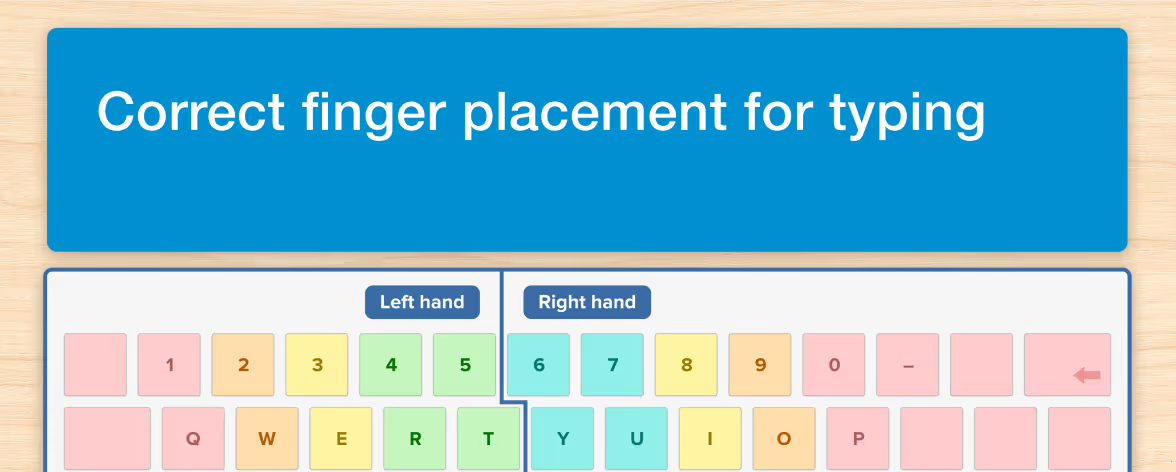
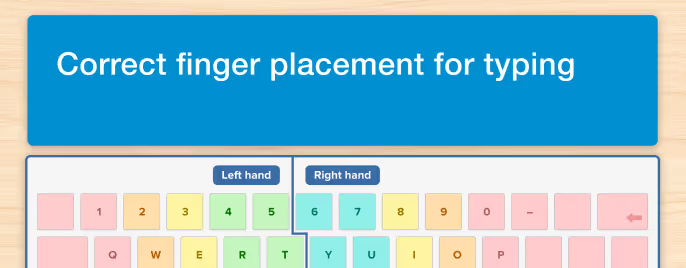
So how does touch-typing differ? Keyboarding involves learning how to reach for and type particular letters with particular fingers and then return the hands to a home row position. Regular movement patterns on the keyboard translate the spelling of a word into a series of keystrokes. These spelling patterns are then automatized the more the student practices typing. Students keep their eyes up, whether they focus them on their screen, the board or a book, and let their hands do the work when writing on the computer.
Benefits of keyboarding
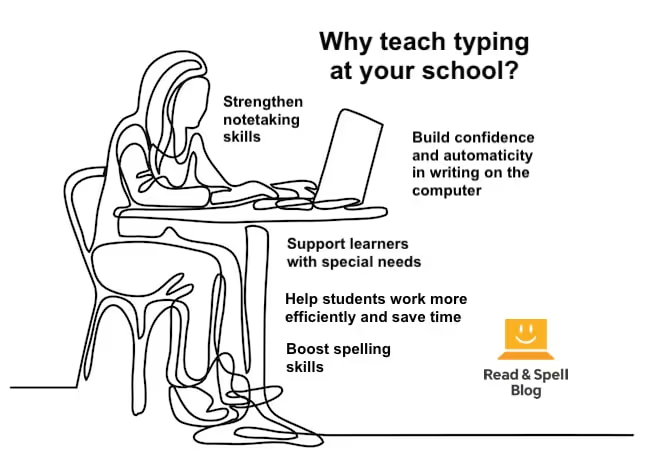
Students type faster and more accurately when they've studied keyboarding. This gives kids who are taking a timed computer test an advantage. Typing also facilitates the process of translating ideas into writing, so students can keep up with what they're thinking and get it all down. When they don't have to look down at the keyboard, thoughts flow freely through the fingertips and onto the screen, freeing up cognitive attention and working memory for other tasks. For learners who struggle with the mechanics of handwriting, typing is a crucial skill. Plus, depending on the particular course a school chooses to offer, typing programs can also strengthen reading comprehension and improve spelling skills. This may give learners with dyslexia and other literacy-based learning difficulties a boost. The right typing program can improve a student's self-esteem as well.

Typing in schools then and now
In the early days of the internet, there were no online apps to teach keyboarding. Schools would hire trained teachers and purchase hard-copy programs on CD-ROMs to ensure kids learned to type. At that time it was still possible to write assignments by hand and research was mostly done in the library.
Nowadays, students spend a lot more of their school day on computers and tablets. They are taught how to safely navigate the internet in order to do research, how to practice the skills they're learning in class using apps and online games, and how to write short, and later, longer compositions on the computer. Some may even learn coding from an early age!
Touch-typing is often offered as an elective or an after school club. You can also find it as part of a school's homeroom activities or assigned as homework in situations where students are provided with an electronic device on which to learn.
Note, there are also states where keyboarding has become a mandatory part of the curriculum. For example, California requires typing be taught to all students and children have specific keyboarding standards they need to meet for each grade.
What else can students learn from typing?
Phonics
In a multi-sensory typing program, students learn by hearing a letter or word read aloud, seeing it on the screen and then physically typing the keys. This process involves mapping sounds to letters and is a kind of phonics training that reinforces reading and helps children master literacy skills.
Sight Words
Repeatedly typing a particular curriculum does wonders for spelling because it increases exposure to high-frequency English words. In this way, it becomes more likely that they are recognized by sight vs. sounded out by beginner readers. This is important for English language learners too, as they often need to strengthen their vocabulary.
Self-Directed Learning
In modular programs, the student is in charge of how quickly he or she progresses through the material. Giving kids an opportunity to learn at their own pace removes any stigma attached to having to repeat modules. Providing plenty of positive feedback for each milestone also teaches them to be more self-efficacious about their learning. Almost any task can be mastered if it is broken down into manageable steps.
Self-Confidence
Successfully mastering a skill often boosts kids’ self-esteem. Feedback provided when students reach and complete milestones keeps them motivated and engaged, and over time, helps them gain confidence. If the program is taken in the classroom, it can create lasting positive associations with learning. This is especially beneficial for those kids with learning difficulties or behavioral issues who are not used to doing well at school.
Keyboarding for every student
Dyslexia
Individuals with dyslexia will often benefit from learning to type because it gives them an opportunity to practice phonics skills and an alternative way to learn spelling. It also facilitates writing on the computer, which is easier for some students than writing by hand. It's just important to make sure they have access to a typing program that teaches in a dyslexia-friendly way, otherwise they might experience some degree of frustration. Learn more about typing programs for students with dyslexia.
ADHD and Slow Processing
In a modular course, lessons can be repeated until students achieve mastery and there is no shame involved as each student learns at his or her own pace. This means students who might struggle to focus, for example kids with ADHD, can take as much time as they need to learn material. Removing time constraints and reducing cognitive load is also a big plus for kids with slow processing.
Down Syndrome
Teachers who work with kids who have special needs understand the value of teaching touch-typing. Many children with Down syndrome can benefit from learning to read and learning to type at the same time. That’s because they may need to overlearn sound-letter connections due to hearing impairments. A computer program is a means for repeating information as many times as the student needs and gives plenty of positive feedback along the way.
Visual Impairments
Typing is a crucial skill for students who have low vision because it allows them to navigate a computer without relying on sight. It’s a way to write quickly and accurately without using the eyes to guide letter formation and placement.
Dyspraxia and Dysgraphia
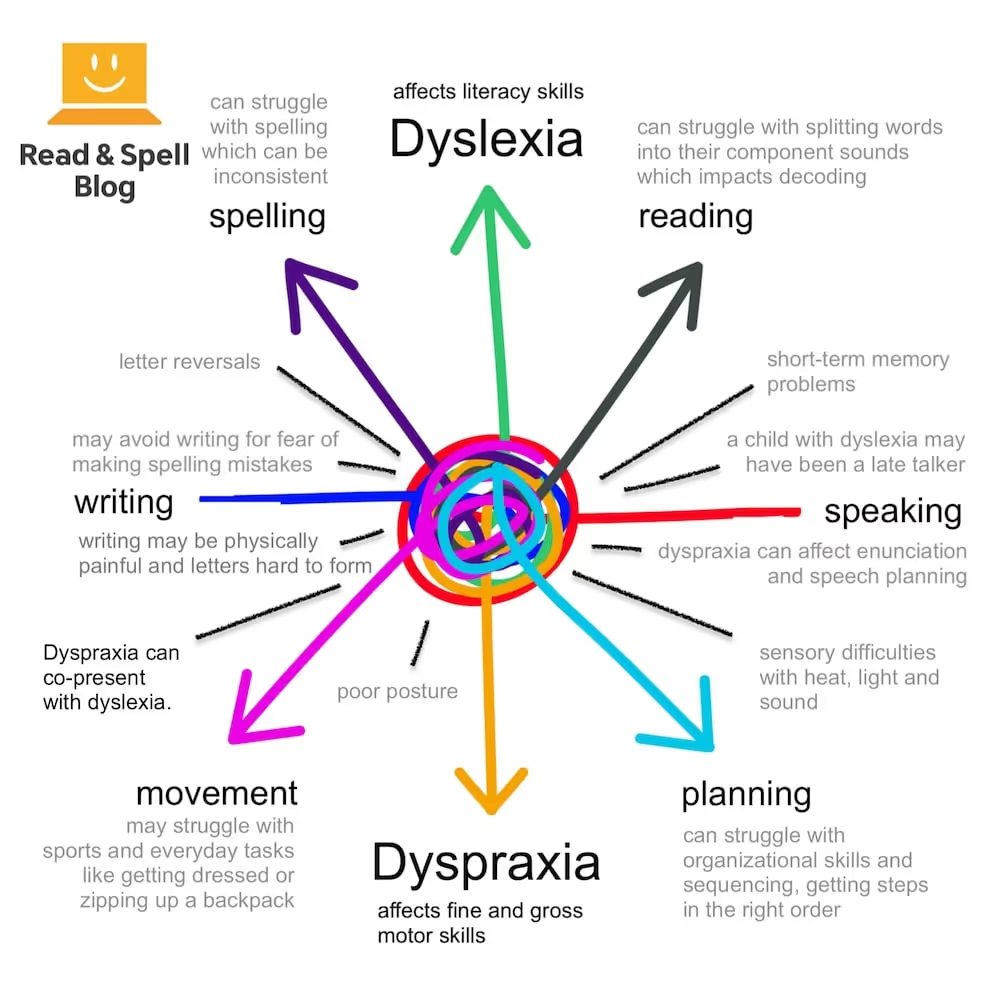
Touch-typing is a solution for students who struggle to hold a pen or pencil, correctly form letters, and use standardized spacing between the words on a page. These issues tend to be encountered in dyspraxia and dysgraphia, where handwriting and fine-motor skills are involved.
Touch-type Read and Spell (TTRS)
TTRS offers schools, both brick-and-mortar and online charter schools, a multi-sensory and modular platform that helps kids get the most out of learning how to type. Students learn typing via a carefully structured program of English phonics that also includes modules that teach sight words. At the same time, they can practice their typing and writing skills in a free-writing session. Teachers can add spelling words as a custom subject for learners to practice through typing exercises, or have students work on subject-based lessons in English, science or math.
Touch-typing is skill that can be learned in as little as a few weeks or that can take several months to a year to develop, depending on the amount of time a learner commits and his or her abilities. Most kids are ready to learn typing at the age of 6 or 7, when their hands fit comfortably on a keyboard.
Students who use TTRS strengthen literacy skills and develop the self-confidence they need to engage in self-directed learning, stay positive and achieve their potential at school.
How do they teach typing at your school? Get in touch and let us know!