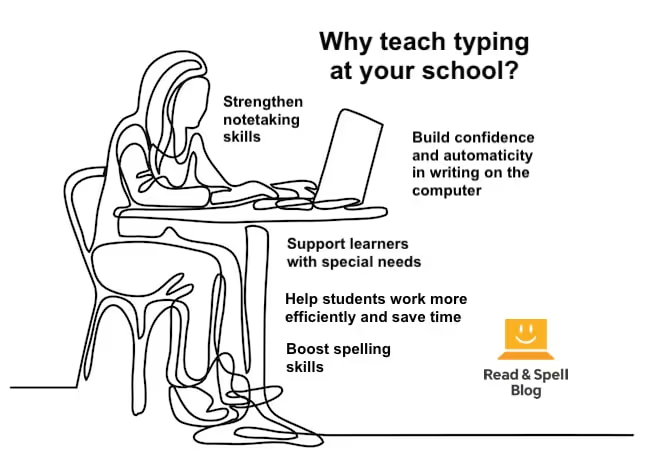




Many teachers are interested in having their students acquire keyboarding skills. That’s because typing is a useful skill for completing homework and essays, doing online research, taking standardized exams, and even taking notes in class. It’s a skill that will serve students in higher education as well as in their future careers. Plus, following a typing course can lead to improvements in reading, writing, and spelling abilities, depending on the approach taken (certain programs can even be used to boost confidence and motivation for learners who have developed a negative attitude toward school).
But while some institutions offer touch-typing as part of a computer science curriculum, it’s not always available, and often parents and educators who advocate for its inclusion must take on the challenge of teaching typing themselves -- with the help of a self-study program of course.
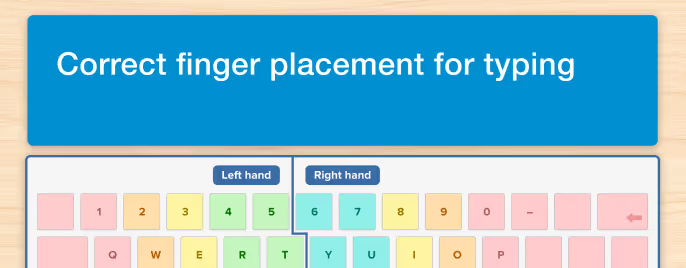
Keyboarding programs will typically introduce the keys and may cover correct hand position. Most typing drills also offer automatized feedback on accuracy and speed. However, parents and teachers should be prepared to offer additional guidance on hand position, posture and technique. They are also there to observe the novice typist and troubleshoot issues that can prevent progress, such as looking down at the keyboard or using the wrong finger for a particular key.
A typing teacher can set the right pace for learning and recommend review when appropriate, to ensure learners develop their typing skills with attention to accuracy before speed. Educators may also be able to create classroom-based lessons or assign writing tasks that reuse the words a student is learning in a new context.
Over time, a structured and supported approach will help kids build momentum and develop self-confidence as they learn.
But can you teach typing if you don’t know how to touch-type yourself? YES!
It’s also the perfect opportunity to learn a new skill -- you are never too old to master the keyboard.
Have a read through our top tips for teaching typing and then check out these related blogs for more information: Teaching kids to type, Why more schools should offer typing, The benefits of touch-typing, How long does it take to learn to touch-type?
What is touch-typing?
Touch-typing has been around since the late 1800s when the current QWERTY keyboard layout was first proposed for typewriters. In those days, typing was a skill for court stenographers and secretaries. Today, it’s for everyone, from children, to teenagers, and adults.
Nonetheless, it isn’t recommended that a child as young as 5 of 6 learn typing. That’s because it’s important that a learner’s hands are large enough to rest comfortably on the keyboard. Starting at 7 or 8 is an ideal age, as the younger a learner is, the more practiced and automatized the skill will become.
Moreover, when a phonics-based course is used, teaching keyboarding supports developing spelling and reading skills. It’s also essential for children with visual impairments and can help students with learning difficulties achieve their full potential at school. Learn more in this article on touch-typing for dyslexics.
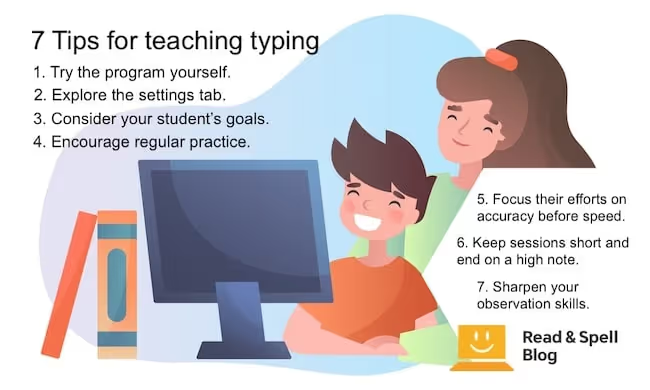
Top tips for teaching keyboarding at school and home
Try the program.
It’s always useful to take a few modules before you deliver a self-study program to a student. This way you’ll have an idea of what may or may not be confusing for them, and you’ll be better able to answer any questions that come up.
Adjust the settings.
Explore the settings tab. A good typing program will allow you to adjust screen and font colors to enhance contrast, choose an appropriate font (which is particularly important for students with dyslexia and visual processing disorders), add avatars and customize the lesson settings. For dyslexic students in particular, color preference can make a difference to learning so it’s helpful for individuals to make their own choices.
Consider your learners.
Why are your students taking keyboarding? Some may be looking to improve their spelling whereas others are simply out to use the keyboard more efficiently. Make adjustments depending on their goals. For example, have students type text on a line below during drills (instead of overtyping words) to enhance sight-reading skills via repeat exposure.
Encourage regular practice.
Typing is a skill that takes time to develop. Regular practice sessions will ensure students continue to build their knowledge, accuracy, and speed until they have mastered the keyboard. Gaps in study are sometimes inevitable, just keep in mind starting again after a period of time off is always harder.
Focus their efforts on accuracy before speed.
Although “off the shelf” touch-typing packages may pressure students to perform at speed from the very beginning, this is not the ideal way for a student with a learning difference such as dyslexia to proceed. Once a student is familiar with the keyboard, they should begin to work on improving their accuracy. If speed drills are undertaken before accuracy, learners could react negatively to the pressure, develop bad habits, and end up spending more time correcting their text than it would take to type it correctly. Learn more about speed in keyboarding.
Keep sessions short and end on a high note.
When a student begins to feel tired, they will make more mistakes and can easily become discouraged. Keep lessons between 20 minutes and an hour and don’t be afraid to end a session early to prevent a student’s performance from suffering.
Sharpen your observation skills.
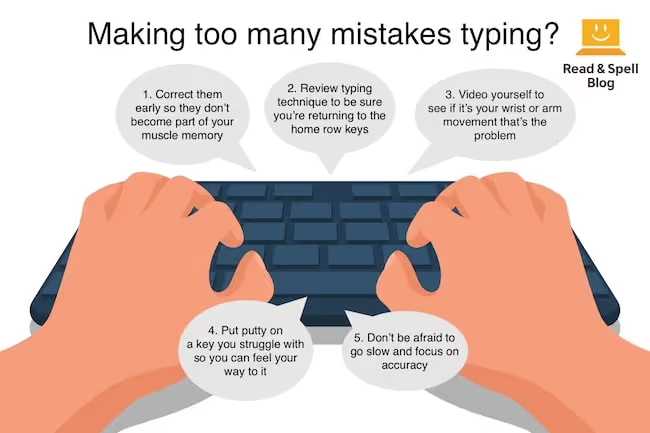
When a student repeatedly makes the same mistake it may not always be due to how their fingers are moving. Sometimes the position of the elbows and wrists can make reaching certain keys awkward or cause them to hit two keys at once. Study technique and observe their behavior before suggesting a fix. Learn more about correcting typing posture and wrist position.
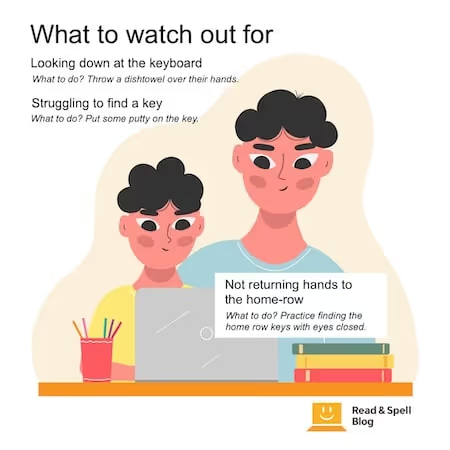
What to watch out for
- Looking down at the keyboard.
What to do? Throw a dishtowel over their hands or attach a sheet of typing paper to the back of the keyboard with a bit of masking tape to prevent the student from looking. Some students, however, don’t like the feel of something over their hands. An alternative would be to cut the front out of a shoebox and place it over the keyboard.
- Struggling to find a key.
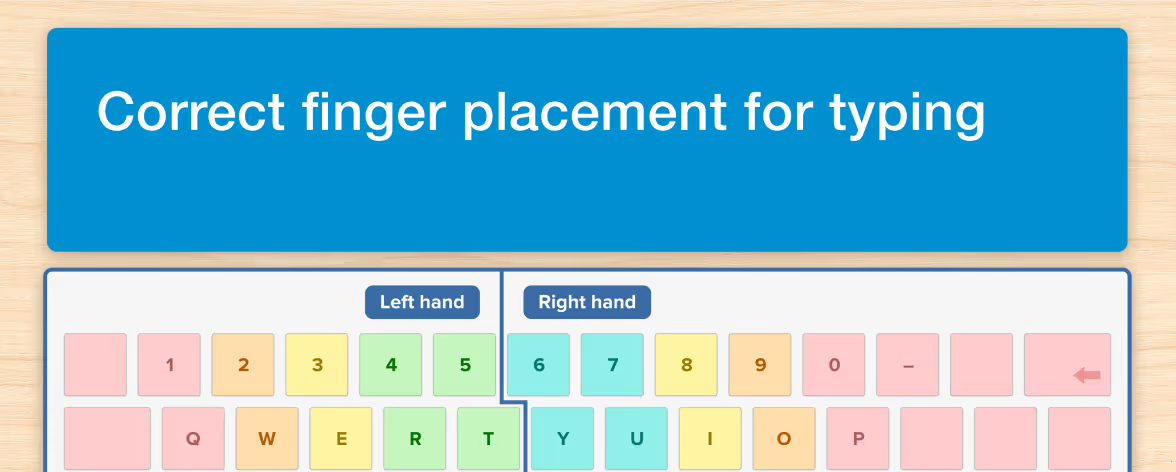
What to do? It’s a fact that many people have never noticed the little bumps on the F and J keys. They are there so you can find the correct starting position for your fingers without looking down. It may help beginning learners to practice lining up their fingers a few times before they start to type. Some students, for example, those with fine motor difficulties, may have a problem with the reach for a particular letter or letters. Put some Blu Tack on the key to differentiate it from the others and make it easier to feel without looking. Once that particular reach has been mastered, you can remove it. Move the Blu Tack around the keyboard as appropriate.
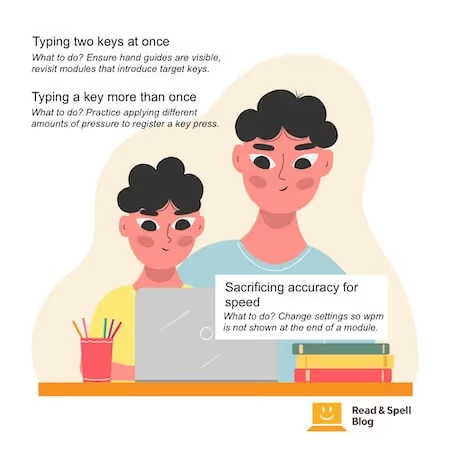
- Typing two keys at once.
What to do? Ensure the hand guides are visible on the screen and revisit the modules that introduced the problematic keys. Practice makes perfect. Touch-type Read and Spell encourages students to correct their mistakes as they go along.
- Not returning hands to the home-row position.
What to do? Develop an acronym and practice having them locate the home-row keys with their eyes closed.
- Sacrificing accuracy in pursuit of speed.
What to do? Adjust the settings so no feedback on speed is shown at the end of lessons and they only receive accuracy scores. With Touch-type Read and Spell, it’s recommended that the speed scores are not turned on for early modules.
- Typing a key more than once.
What to do? Explain that very little pressure needs to be applied to type the key. If your computer has a sticky keys setting, turn it off.
How to get students excited
While talking about the benefits of typing may convince an adult learner to take a course, motivation works differently in children. To get them excited about keyboarding, make the task fun. Have them type with their eyes closed or turn the lights off and see how they do! Show them their progress and create some drills with their favorite words. You can even get them to type along to music – rap music is a particularly fun challenge!
Specific learning difficulties
Can children with specific learning difficulties learn typing? More importantly, should they? Yes and yes! Being able to use a computer at school is one of the most important accommodations for students with dysgraphia and dyspraxia who struggle to write by hand. For students who have a vision impairment, keyboarding is an essential skill, and for dyslexic individuals learning how to type can help improve reading and spelling ability when a phonics-driven approach is used.
Even children with ADHD can benefit as it helps them focus their attention and develop strong spelling skills. Touch-type Read and Spell is carefully structured to make students feel and be successful from the very beginning, and this is very motivating and good for self-esteem.
Typing programs
Before you purchase a program, have a look at the order in which keys are presented. Some programs introduce letters based on the hand and finger that types them. Traditionally, many programs start with a-s-d-f-g ;-l-k-j whereas others, such as TTRS, take a phonics driven and whole-word approach to enhance reading and spelling skills. For example, in TTRS, after mastering the vowels, the student is already typing their first words: red, wed, fed and led.