



A guest post by journalist David Hayter.
I have dyslexia and have long been aware that the challenges of dyslexia tend to be magnified in the remote workplace.
My experience working from home with dyslexia
During lockdown, I took the opportunity to change career and study law while carrying on my work as a journalist and offering support to my ten-year-old nephew (who has also been diagnosed with dyslexia) as he dealt with an online school year. As such, I was given a bird’s eye view of the profound effects the work-from-home landscape can have on both dyslexic employees and learners. Through this experience I developed a repertoire of remote work strategies that helped me overcome the wide array of challenges I faced.
The Challenges: Remote working with dyslexia
It might sound blindingly obvious, but the fundamental challenge of abandoning the physical workplace for adults with dyslexia, is that you can no longer simply walk over and talk to your colleagues when you need clarification or support. All those little quick questions or rapid-fire job chats have been replaced by more formal office emails or with fast-paced work platforms, placing great stress on your writing skills. The trouble for those with dyslexia, especially when faced with a new workplace where making a good impression is paramount, is that those little back and forth conversations are sorely missed.
You might not be overly concerned about a few typos or writing ‘their’ instead of ‘there’ if you’re sending a quick message to a colleague who’s a good friend, but what about when you find yourself in an office or departmental chat that contains your boss, editor or superiors? This can be a stressful situation even for adults without dyslexia. Instantaneous messaging systems make it difficult to exude professionalism when replies are expected immediately and you know that your employer can see you are typing, or worse, that you have read their message and not yet responded.
This concern might seem trivial, but it can prove dispiriting for employees with dyslexia who may feel they have to choose between sending a garbled message full of ‘basic’ spelling mistakes or appearing slow and disinterested when faced with a simple request. Worst of all, if you are in a competitive commission-based work environment where speed is an essential part of doing your job, there is the added threat of missing an opportunity because someone who doesn’t have dyslexia and doesn’t need to worry about writing ‘sea’ instead of ‘see’ or omitting the ‘ly’ ending on a word, jumps in ahead of you.
Meetings, training and dyslexia in the virtual chat space
This apprehension extends to the world of meetings and live events. Whether it’s Zoom, Teams or Adobe Connect, the modern online meeting and work conference platforms are phenomenal and were able to save businesses and entire school years from cancellation during the Covid-19 pandemic. Best of all, for those who were excited to work from home, they offered a dose of freedom and the opportunity to live where one wanted rather than where one’s job was located. The trouble for dyslexics, and I faced this problem extensively both when studying law and helping my nephew to study, was the chatbox.
While some teachers and meeting leaders will try to ensure that everyone turns their camera on and speaks into the microphone, it’s sadly inevitable that many sessions simply involve one individual speaking into the void and employees responding in the chatbox. So, what does an employee with dyslexia do? Well ideally, we’d take our time, think it through, double-check our answers and remove all the spelling or grammar errors before posting a comment – problem solved.
Unfortunately, while you’re sitting there drafting your immaculate comments or questions, the conversation has moved on. Two or three other people have answered, and you will have missed the opportunity to either showcase your understanding or, crucially, to seek support and further explanation of a topic that you might find confusing. If your job is on the line because you work in sales, you can quickly lose the competitive edge.
Most troubling of all is exam software. The systems used by both employers and universities have not been optimised to support the reading and writing experience, and with spell checking software often intentionally disabled, it can be a dyslexic’s worst nightmare. Even if employers provide training and support, time-pressured tests can be challenging. Many of the techniques adults with dyslexia have learned to use to support us in reading printed text cannot be replicated when faced with grey, unformatted text blocks where one must write in tiny fonts.
The severity of making a mistake also varies depending on your field of work. Converting to law is a daunting task to begin with and, to make matters worse, the first thing that you will learn is that clients expect their lawyers to be precise masters of detail, who appear to be in total control as they offer their legal advice and support. No one wants to receive an email or a letter from a lawyer that has any spelling or grammatical errors, as it undermines your potential client’s confidence. So naturally, when you have dyslexia and find yourself in a virtual workplace conversation chatting with a client, the last thing you want to do is bombard them with sentences where, for example, the vowels are the wrong way around!

Networking: Looking for a job and virtually meeting employers
This problem is most profound when it comes to networking events and careers fairs, many of which look set to stay virtual for years to come. I have been at countless remote events and while there have been opportunities to speak one-on-one via Zoom, more often than not you might find yourself in a meeting or lobby submitting questions in a text thread that often isn’t very friendly to dyslexia (and doesn’t work with spellchecking apps!).
Just last year, I attended an online talk with two potential employers that I had already been in contact with, as well as the former Attorney General, and found myself racing to ask the kind of shrewd question that would impress and engage this distinguished panel. Luckily for me, I remained error-free, but when your professional identity is attached to these rapid-fire posts, it’s all too easy to allow your dyslexia to trip you up as you try to grab a rare opportunity to make an impression.
Following up a successful introduction on LinkedIn presents similar issues. It’s very useful to be able to perfectly plan your first message to the recruitment team of your desired employer or association, but what happens when they answer instantly and await your reply? In the past, this would have been a face-to-face chat, but now you have to both professionally impress and forge a personal connection in writing, a less than ideal scenario if you have dyslexia.
5 Strategies: How to adapt to the new work environment
Luckily, it’s not all doom and gloom. There are plenty of strategies that can help mitigate the effects of dyslexia and support employees as they try to stand out from the “remote” crowd.
- Be bold, use your voice. Not everyone likes to speak up, but if it’s a choice between spelling mistakes and putting on a brave face and asking a question or requesting a meeting, it really is worth being bold and speaking out. I can’t count the number of contacts and friendships I’ve made simply by putting my virtual hand up and going on camera. Trust me, no-one likes talking to a blank screen, the person on the other end will be ecstatic to see someone taking the initiative and joining in.
- Planning is pivotal. If like me, you struggle with spelling and grammar when sending messages back and forth, it really is important to pre-plan exactly what you’d like to say. If you have an interesting point to make or a key question to ask, have it jotted down and spellchecked ready to copy-and-paste before that big meeting or event. Employers will appreciate your having given it more thought and it may also inspire some creative and out-of-the-box problem solving – a particular strength of dyslexic individuals!
- Let people (especially teachers) know you’re dyslexic. This advice isn’t always appropriate, but nine-times-out-of-ten, letting your fellow employees, classmates or employers know that you have dyslexia is no bad thing - it will stop them from making assumptions about your professionalism. They will almost always appreciate your honesty and you might gain access to additional support or remote workplace training.
- Find the platforms that work best for you. If quickfire writing and chatboxes don’t work for you, there is nothing wrong with being old fashioned. If you prefer thoughtfully composed emails or enjoy talking to people on the phone, stick to your strengths. You can often make more meaningful contributions one-on-one, than you could ever hope to in a rapid-fire chat or a video call with 50 employees all vying for attention!
- Use spellchecking software. It is very important to develop your own style and speak with your own voice, but in a fast-paced online workplace, installing grammar and spelling software to fully check your emails and texts can be a lifesaver. But be careful, they can become a crutch and do not work on all platforms! When in doubt, ask your workplace tech guru for advice or consider requesting permission to use an alternative platform (do you research as there are some good dyslexia-friendly options employers might not have considered!)

A note from Touch-type Read and Spell
While the Covid-19 pandemic loomed large, many employees, including those with dyslexia, were forced to learn how to work from home. Remote work brought with it some benefits, there was no more need for the drudgery of the daily commute, and you could easily attend a meeting with your local trade association while still wearing tracksuit bottoms.
Nonetheless, there were also challenges. From calendars full of back-to-back zoom calls, to an overwhelming number of new online tools and the training that went with them, remote work was not always easy. Moreover, not all employees received the same kind of training, and job support, particularly for adults who struggle with learning difficulties like dyslexia, was sometimes lacking.
And while it may be tempting to put a few Covid-ravaged years in the rear-view mirror and continue on as if nothing has happened, the reality is that the world of work has been transformed beyond recognition and this new world has serious implications for employees who have been diagnosed with dyslexia.
More strategies for working from home with dyslexia
Here are a few more things to think about if your workplace has moved online.
- Consider the size of your home computer screen. Depending on the nature of your job, some employees might find working on a small laptop screen causes visual processing strain. It can help to have a bigger screen, multiple screens, or even project your screen on a wall to organize the work visually and keep better track of multiple tabs. Learn more about visual processing and dyslexia.
- Check that you’re reading and writing in a font that’s made for dyslexia. Not all fonts are created equal. Text written with serifs will be harder to read than something printed in Arial or even a font made exclusively for dyslexic readers and writers, such as Dyslexie. Learn more about fonts for dyslexia.
- Look into text to speech and speech to text solutions. Reading and writing can be cognitively taxing if you have dyslexia and it may make sense to use recording and reporting technology from time to time to save your mental energy.
- Organize your work area. One of the chief complaints from adults who work from home is a lack of separation between personal and work space. That’s why our advice is always to set up a particular area where you keep materials that support you during the day – a small whiteboard for brainstorming, a paper calendar, pastel paper (did you know some individuals with dyslexia read better when text is printed on pastel backgrounds?) bright sticky-notes for writing down computer program passwords etc.
- Know when to take a break. Work can be stressful and sitting at the computer for extended periods of time can make the stress even worse. Set yourself a regular reminder to get up, walk around, make a cup of tea or coffee, or just have a quick stretch outside. Short frequent breaks can make a big difference in your energy levels and attention span if you’re facing a long slog of virtual meetings in the afternoon.
- Take notes during training. When you get strategy training and support for virtual workplace programs, take notes! It can be tempting for adults to jump right in, but you may miss some key information on a smaller feature that could really improve your experience as a dyslexic user. Our advice is to be patient, pay attention in the training and really make the tools work for you.
Supporting employees with dyslexia
No two adults with dyslexia experience it in the same way, yet it’s still important for employers to provide training when work moves online. This is especially the case given for more and more employees, the incremental changes of working from home, conferencing remotely, studying virtually and networking online are likely here to stay.
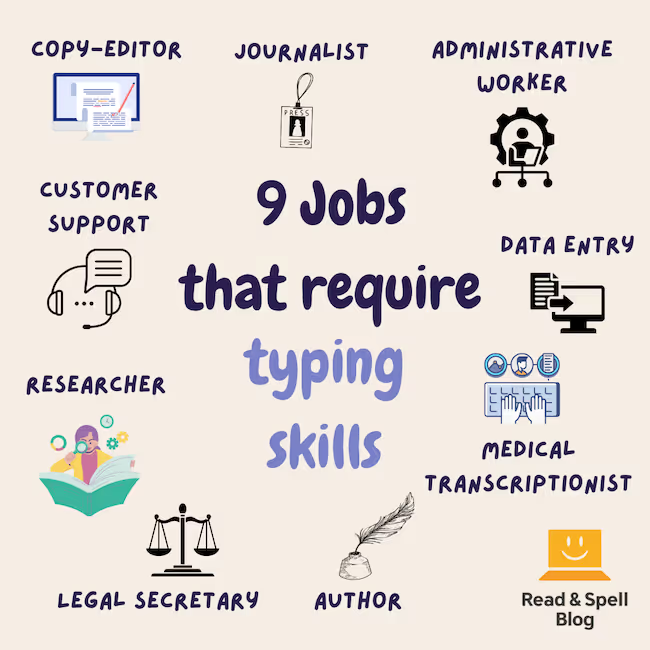
One way to help is ensuring strong typing skills are available. Touch-type Read and Spell is a multi-sensory typing program that helps dyslexic individuals build typing, spelling and sight reading skills. Dyslexia can interrupt the encoding process but touch-typing builds muscle memory in the hands so fingers and movement patterns do the heavy lifting when it comes to deciding what letters are needed and in which order.
Think TTRS might be the right tool to support dyslexic employees in your workplace?
Learn more about TTRS for businesses
You may also be interested in these articles: 13 Signs of dyslexia in adults, 7 Tips and strategies for working with dyslexia